Why TikTok lyric videos are 2026's highest-ROI music format
If you upload a song to TikTok as plain audio with a static image, the algorithm treats it like a podcast. If you upload a lyric video — animated text synced to the vocal, 9:16 vertical, beat-cut visuals — TikTok treats it like a music post and pushes it through the FYP loop.
Real numbers from creator-side analytics in 2026: lyric videos outperform static-audio posts roughly 3:1 on impressions and 2:1 on completion rate for music content. The reason is mechanical — 85% of TikTok viewers watch with sound off by default, so on-screen lyrics are the only way they can engage with the song.
This guide walks through the 3 working ways to make a TikTok lyric video in 2026, with a focus on the fastest path (AI), the manual path (CapCut), and the premium path (Premiere). Plus the TikTok-specific best practices that move the algorithm.
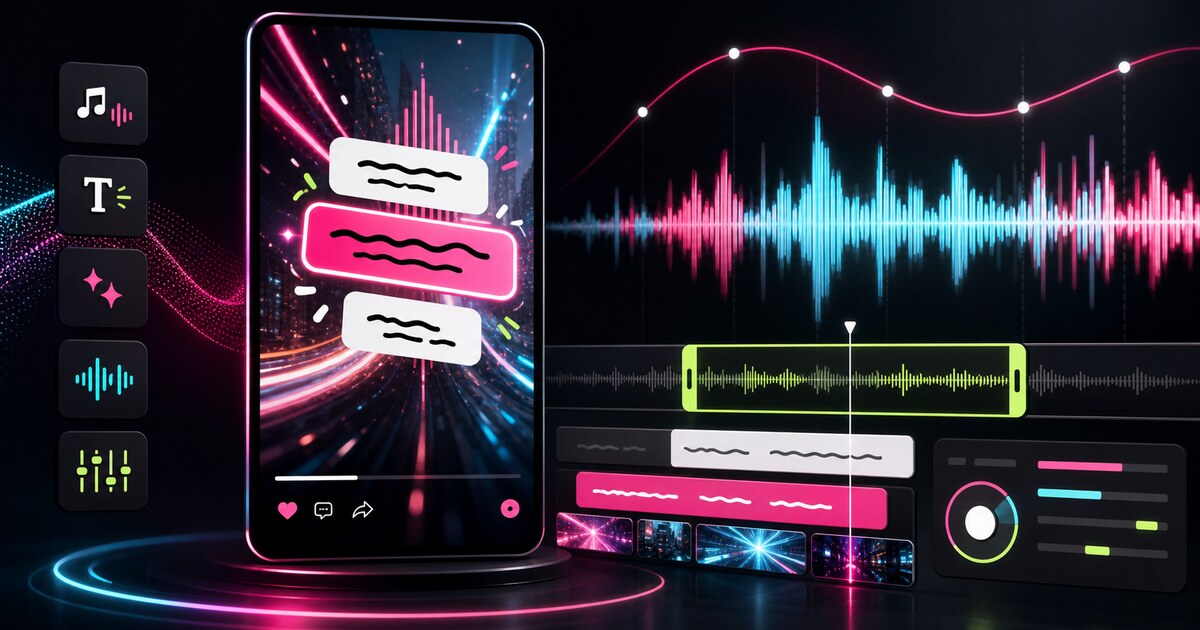
The TikTok lyric video format — what actually works
Before pickin a workflow, here's the 9:16 lyric video format TikTok rewards in 2026:
- Aspect ratio: 9:16 vertical (1080×1920). 16:9 horizontal kills your reach.
- First 3 seconds: hook the viewer immediately — strongest line of the song, biggest visual.
- Caption style: large legible text, high contrast, animates word-by-word in sync with the vocal.
- Background: motion (subtle), not static. Beat-reactive visuals or moving scene.
- Length: typically 15–60 seconds (a snippet of the song's strongest moment), not the full 3-minute track.
- Sound: must be the actual song audio — TikTok's sound page is how new viewers discover you.
If your video misses any of these, it goes nowhere. If it hits all of them, the algorithm tests it with 100–500 viewers and the retention curve decides what happens next.
Method 1 — AI lyric video generator (Solmi, fastest)
The fastest path. The AI detects lyrics from your audio, animates them in sync with the vocal, picks a beat-reactive background, and exports 9:16 ready for TikTok.
Step-by-step
- Open Solmi's lyric video generator. Free to start, no card: a lyric video costs half a credit per second, a new account on the web starts with about four minutes, and a free account's credits then refill to 10 a day (20 seconds).
- Upload your song (MP3 / WAV; for a Suno song, the file you downloaded from Suno).
- Pick "TikTok lyric video" style. Solmi has presets specifically tuned for TikTok aesthetic — kinetic typography, karaoke highlight, neon caption, minimal cinematic.
- Choose 9:16 aspect ratio. For a YouTube version, start a second project in 16:9.
- Generate. 3–8 minutes per render. Solmi auto-detects the lyrics and times them to within ~150ms of the vocal.
- Trim to the hook. Most TikTok music videos open on the strongest 15–30 seconds. Use Solmi's editor to mark in/out points.
- Export and upload. Direct upload to TikTok or download MP4 to post manually.
Time: 5–10 minutes start-to-finish. Quality: up to 1080p. Best for: posting volume — multiple lyric videos per week.
Method 2 — CapCut auto-caption (manual but free)
If you want fine control over caption styling and you're already comfortable in CapCut, this works well.
Step-by-step
- Open CapCut (free, mobile or desktop).
- Drop your song MP3 on the timeline at 9:16.
- Source background. Free options: a Pexels stock loop, a slow zoom on a photo, or a beat-reactive visualizer from BeatViz / Plazmapunk. Place it under the audio.
- Auto-caption. CapCut → Audio → Auto Captions. Pick "Sung Vocals" mode (added in 2026). Accuracy is ~85–90% for clear vocals; manually fix any wrong words.
- Style the captions. Pick a font (Bebas Neue, Montserrat Black, Roboto Bold all work). Add stroke (white text + black stroke, or vice versa). Apply karaoke-style word-by-word highlight.
- Animate. Use CapCut's text animations — "Typewriter" or "Pop" timed to the vocal beats.
- Cut to the beat. Use Beat Detection to mark downbeats, then cut your background clips on those.
- Export 1080×1920, upload to TikTok.
Time: 30–60 minutes if you're familiar with CapCut. Quality: as good as you want it to be. Best for: one-off premium uploads where you want every detail dialed in.
Method 3 — Premiere Pro (premium one-offs)
If you're already a Premiere editor, you know the drill — same as Method 2 but with more precision tools (motion graphics templates, keyframes, color grading). 1–3 hours per video.
Best for an album release single where you're investing in one signature lyric video, not a posting cadence.
TikTok-specific best practices
Beyond the format, these compound across every lyric video:
- Hook on the strongest 1–3 seconds of the song. Open on the biggest line, the catchiest melody, or a visual that immediately reads. The first 3 seconds decide whether the algorithm shows the video to more people.
- Vertical text-safe zone. TikTok's UI overlays (username, caption, like/comment/share buttons) cover the bottom 20% and right 15% of the screen. Keep lyric text in the middle 60% vertically and avoid the right edge.
- Caption color contrast. White text on dark background, or black text on light background. Stroke or shadow for legibility. Avoid red text (clashes with TikTok's red elements).
- Brand consistency. Pick a font + color scheme and stick with it across your videos. Viewers should recognize your style by the second scroll.
- Hashtag the format.
#lyricvideo #lyrics #ailyricvideo #musictokget your video into the right discovery loops. Combine with 1–2 song-specific tags. - Post-time matters. Music content on TikTok performs best at 7–10pm in your audience's timezone. Use TikTok analytics to find your peak.
- Caption the description with the chorus. TikTok's search algorithm pulls keywords from your post caption. Putting the chorus line or a memorable lyric in the caption helps.
- Pin a hook to your sound. Create a TikTok "sound" from your video. Other creators can use your sound — every time they do, your original gets a discovery boost.
What to avoid
- Lyric videos in 16:9. The algorithm shrinks them to 9:16, which means the lyrics get clipped or look tiny. Always native-format 9:16.
- Walls of text. One line at a time, max two. Three+ lines on screen at once = nobody reads it.
- Stock footage that doesn't match the vibe. A sad ballad with a stock fashion-runway loop reads as off-brand. Either generate a custom visual (Solmi's narrative style does this) or use abstract/visualizer backgrounds that work across vibes.
- Re-uploading the same lyric video for multiple platforms. YouTube wants 16:9 with a different pace. Reels wants 9:16 but with different caption style. Make a native version for each: in Solmi, start a 16:9 project for YouTube and a 9:16 one for Reels and TikTok.
Make your first TikTok lyric video now
Open Solmi's lyric video generator — free to start with no card, at half a credit per second of video. Upload an MP3, pick "TikTok lyric video" style, choose 9:16, and export in 5–10 minutes.
If your song is from Suno, download it from Suno first and upload the file; Suno to Video shows how.
For everything else — dance videos, cinematic narratives, photo-to-sing performance videos — see the full AI music video generator or compare options on Best AI Music Video Generator 2026.