You made a song on Suno. Now what?
Suno is the fastest way in 2026 to generate an original song from a text prompt — pick a vibe, drop in lyrics, hit generate, and 90 seconds later you've got a track that genuinely slaps. The catch: Suno only gives you audio. To publish on YouTube, monetize on TikTok, or share on Instagram Reels, you need a music video.
This guide walks through the three proven ways to turn a Suno song into a finished music video in 2026 — what each one wins at, how long each takes, and the step-by-step process. Whether you're a hobbyist publishing your first track or a creator monetizing a back catalog, one of these three workflows is the right pick for you.
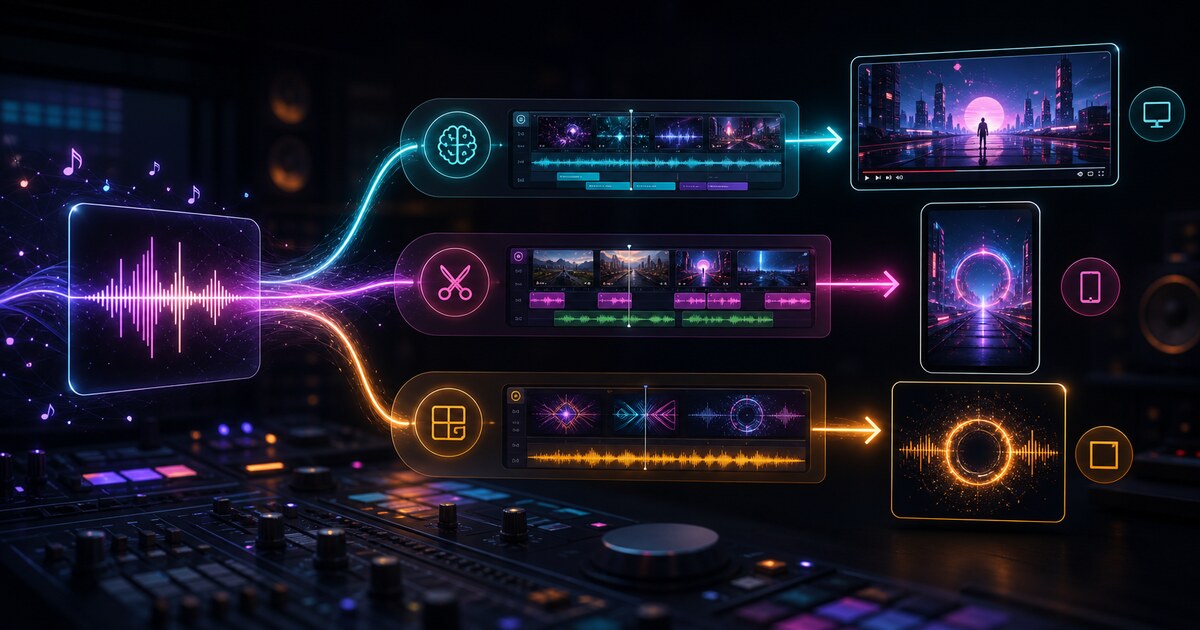
The 3 ways at a glance
| Method | Time | Output | Best for |
|---|---|---|---|
| AI music video generator (Solmi) | 3–10 min | YouTube + TikTok + Reels in one render | Volume, speed, social-ready |
| Manual edit (CapCut, Premiere) | 1–3 hours | Whatever you can imagine | Hand-crafted, one-off premiums |
| Freebeat / Plazmapunk dance templates | 5–15 min | Dance-style or visualizer | Genre-specific aesthetics |
Method 1 — AI music video generator (Solmi)
The fastest path from Suno audio to finished YouTube/TikTok/Reels video. The AI listens to your track, detects the lyrics, syncs visuals to the beat, and renders a complete music video in 16:9 or 9:16.
Step-by-step
- Open Solmi's AI music video generator. Free to start with no card: a new account on the web gets a one-time 20-second 480p preview with a watermark.
- Download the song from Suno, then upload it. On suno.com or in the Suno app, open the song's More Actions (…) menu, choose Download, and pick MP3, WAV, or video. Upload that file to Solmi (MP3, WAV, M4A, or MP4, up to 200 MB). You can also try pasting the Suno share link instead, but it only works when Suno serves a public file for the song, and Suno refuses many songs, so upload the file if it fails.
- Pick a visual style. Lyric video, cinematic narrative, dance, anime, photo-to-sing, or beat-reactive visualizer. Or describe the look you want in plain English — "neon Tokyo at night, anime style, sad girl walking in the rain."
- Choose an aspect ratio. YouTube 16:9 or TikTok / Reels / Shorts 9:16.
- Generate and review. 3–10 minutes depending on style and length. Preview, tweak any lines that don't sync perfectly, then export.
- Publish. Direct upload to YouTube and TikTok, or download MP4 to post manually.
The free tier renders a one-time 20-second 480p preview with a Solmi watermark. Paid plans (from $35/mo) render the full song at 720p or 1080p with no watermark and include commercial licensing for monetized channels.
Best for: creators publishing multiple tracks per week, anyone using Suno or Udio regularly, and creators who care about TikTok/Reels reach (where vertical aspect ratio is non-negotiable).
Method 2 — Manual edit in CapCut or Premiere
The premium path. You're hand-crafting visuals — stock footage, your own clips, motion graphics, transitions. Time-consuming but you can build something genuinely bespoke that doesn't have any AI fingerprints.
Step-by-step
- Download your Suno track as MP3. Open the song's More Actions (…) menu in Suno and choose Download. Since September 3, 2026, Suno's Pro plan includes 20 song downloads a month and Premier 60; the free plan has no monthly downloads (older free accounts keep up to 7 trial downloads).
- Open CapCut (free) or Adobe Premiere Pro. CapCut is more than enough for 90% of music videos.
- Drop the audio onto the timeline. Set the project framerate to 30fps (or 60fps for action-heavy edits).
- Source visuals. Stock footage from Pexels or Pixabay (both free). Your own phone clips. Or generate B-roll with Runway or Pika.
- Cut to the beat. Use CapCut's "beat detect" feature or manually mark beats on the audio waveform. Place cuts on the downbeats.
- Add lyrics if you want. CapCut's auto-captions work well in 2026 — they can transcribe sung vocals at ~90% accuracy. Style the text to match your aesthetic.
- Export. 1080p MP4. Re-export at 9:16 if you want a vertical version (which takes another pass at re-cropping every clip).
Best for: artists releasing a marquee single, music videos that need a specific narrative, anyone with editing chops who wants creative control. The trade-off is time — budget 1–3 hours per video, more if you're sourcing custom footage.
Method 3 — Freebeat or Plazmapunk dance / visualizer
Genre-specific shortcut. Freebeat specializes in AI dance videos (think TikTok dance template style). Plazmapunk is the abstract beat-reactive visualizer of choice for EDM and electronic. Both are great for their niches and bad outside them.
Step-by-step (Freebeat)
- Visit freebeat.ai. Sign up — the free plan gives 500 credits at signup, for watermarked videos up to 30 seconds.
- Upload your Suno MP3.
- Pick a dance template. They have a large library — pick the one that matches your song's energy.
- Generate. 5–15 minutes per render. One aspect ratio per render — you'll re-generate for vertical.
- Export. Downloads as MP4.
Step-by-step (Plazmapunk)
- Visit plazmapunk.com. Free preview tier.
- Upload your Suno track.
- Pick a visual preset. Abstract, kaleidoscopic, neon — all leaning EDM/club.
- Tune the colors and intensity. Quick UI, few choices.
- Generate and download.
Best for: Freebeat is best when dance-style templates match your song. Plazmapunk is best for instrumental EDM and electronic where lyrics aren't the point. Both fall apart for pop / hip-hop / country / acoustic where the song has a narrative.
Which method should you pick?
Pick the AI music video generator (Solmi) if:
- You're publishing music regularly and need consistent output
- You publish to TikTok / Reels (vertical is non-negotiable there)
- Your songs have lyrics that should be on screen
- You want to be done in under 10 minutes
Pick the manual edit if:
- This is your marquee single and you want every shot dialed in
- You have specific brand visuals you want to integrate
- You have time and editing skills
Pick Freebeat / Plazmapunk if:
- You make EDM or electronic and abstract visuals fit your sound
- You like a specific style they nail (dance templates for Freebeat, kaleidoscope visuals for Plazmapunk)
Best practices for any Suno music video
Regardless of which workflow you pick, these compound across every video you publish:
- Lyrics on screen for TikTok and Reels. Roughly 85% of TikTok viewers watch with sound off — lyric overlays double engagement vs no-text videos.
- Hook the first 3 seconds. Both YouTube Shorts and TikTok measure retention on the first 3 seconds. Open on the strongest visual or the boldest line of the song.
- Match aspect ratio to the platform. 9:16 for TikTok / Reels / Shorts, 16:9 for YouTube long-form, 1:1 for Instagram feed. Don't post 16:9 on TikTok and expect engagement.
- Caption your video. YouTube's auto-captions are usable, but uploading your own .srt or .vtt file improves accessibility and SEO. For Solmi-generated videos, the lyric file is exported automatically.
- Add the Suno tag in YouTube description. Helps Suno fans find your tracks via YouTube search.
Ready to turn your Suno song into a music video?
Open Solmi's AI music video generator and render a free 20-second preview, no credit card needed; the free AI music video generator page lists what a new account gets. Upload the song you downloaded from Suno, review the storyboard, and a finished music video usually renders in 3–10 minutes.
For how to download from Suno and what its plans allow, see Suno to Video and our guide to what Suno AI is.